






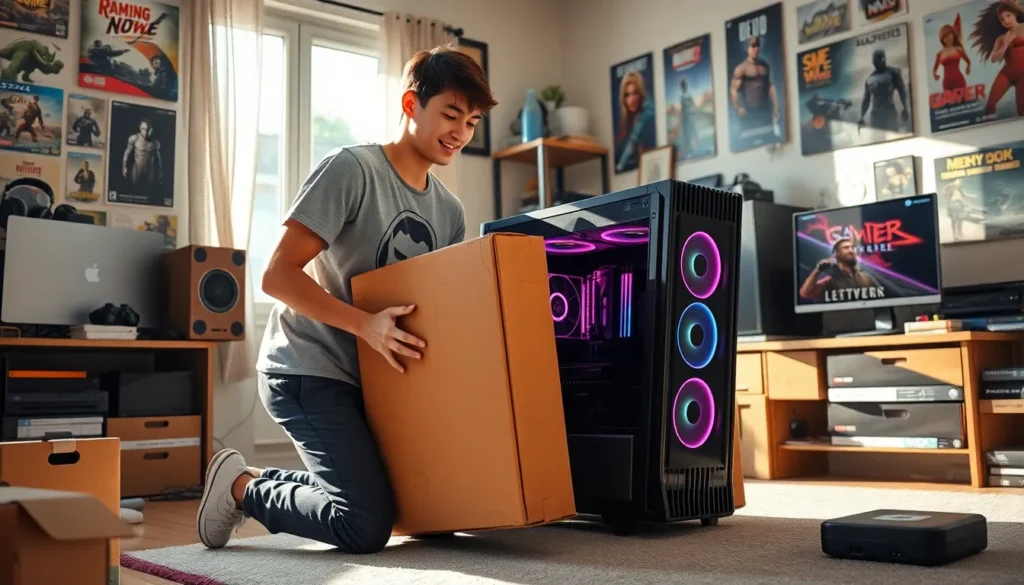
Transporting gaming PCs can be an adventure in itself, blending the excitement of getting from point A to point B with the unique challenges of ensuring the safety of delicate, high-performance equipment. Whether a gamer is heading to a competitive event, taking a trip to a friend’s house, or relocating for a job, understanding how to transport a gaming PC is essential to avoid the heart-stopping moment of discovering a damaged rig. This guide delves into the best practices for transporting gaming PCs, emphasizing the importance of safe transport, choosing the right method, and packing effectively.
Understanding Gaming PC Transport

Gaming PCs are not just machines: they are carefully crafted systems that house powerful components designed to deliver the ultimate gaming experience. But, moving them poses several risks. From accidental bumps to temperature fluctuations, various factors can jeopardize the integrity of the hardware.
Every serious gamer knows that a gaming PC is often customized with delicate components like graphics cards, CPUs, and cooling systems. These components can easily be damaged if not packed and transported properly. An understanding of the specifications and common vulnerabilities of one’s setup will aid in planning an effective transport strategy, ensuring that every trip with a gaming PC becomes less about anxiety and more about the thrill of gaming with friends.
Importance Of Safe Transport
Safe transport of gaming PCs is crucial for several reasons. First and foremost is the financial investment: a high-end gaming rig can run into thousands of dollars. Significant damage from a poorly executed transport could make this investment a costly mistake.
Also, beyond the monetary value, a damaged setup can lead to lost time and gaming opportunities. Gamers often rely heavily on their PCs for competitions or streaming, so ensuring their gear arrives intact enhances their chances of performing at their best. With these stakes in mind, understanding the essentials of safe transport is vital for any gamer.
Choosing The Right Transport Method
Selecting the right method for transporting a gaming PC can vastly influence its safety. Here are important considerations and methods for transport:
Packing Your Gaming PC For Transport
Before embarking, understand that the type of packing can drastically reduce risks. Removing sensitive components like the graphics card or hard drives may be wise, especially for long-distance travel.
Essential Supplies and Materials
Gather essential supplies such as bubble wrap, foam inserts, and sturdy cardboard or custom cases designed for gaming PCs. These items will help cushion the PC against shocks and bumps.
Step-by-Step Packing Guide
- Remove External Components: Unplug and remove external peripherals such as the monitor, keyboard, and mouse.
- Secure Internal Components: If feasible, take out internal components like the GPU and HDD. Store them in anti-static bags.
- Wrap the PC: Use bubble wrap or foam material to extensively cover the PC case, paying attention to corners and edges.
- Place in Box: Securely put the wrapped PC in a box and fill any gaps to prevent movement during transport.
- Label the Box: Clearly label the box indicating its fragile contents.
Transporting Gaming PCs: Dos and Don’ts
When it comes to transporting gaming PCs, adhering to certain dos and don’ts can make all the difference.
Dos:
- Do plan your route: If traveling by car, take into account road conditions and their potential impact on your gaming PC.
- Do handle gently: Always lift your PC with both hands, ensuring stability.
- Do use climate control: If traveling in extreme weather, it’s wise to keep the interior of your transport vehicle temperature regulated.
Don’ts:
- Don’t overpack: Avoid cramming too many items in one box: this can lead to unnecessary bumps.
- Don’t leave it unattended: When making stops, never leave your gaming PC in a vehicle unattended for long periods.
- Don’t forget insurance: Consider insuring your gaming rig during transport for added peace of mind.
After Transport: Setting Up Your Gaming PC
Once safely arrived at the destination, the excitement of setting up the gaming PC begins.
Start by inspecting the PC for any potential signs of damage like loose components or any unusual sounds. Make sure to reattach any components that were detached during the packing process. After ensuring everything is intact, connect all peripherals safely and double-check all connections.
It’s also an excellent time to do a small systems check. Power up the gaming rig to ensure it functions properly. Check for updates and run performance tests to ensure it runs as smoothly as before. This not only verifies that nothing was harmed during transportation but also ensures optimal performance for the gaming session ahead.
Conclusion
Transporting gaming PCs requires a blend of careful planning, the right materials, and a thorough understanding of one’s setup. With the right approach, gamers can minimize risks, ensuring their prized rigs arrive safely and ready for action. By understanding what’s at stake, choosing appropriate packing methods, and following key dos and don’ts, gamers can embark on their next adventure, confident their gaming experience comes through uninterrupted. After all, the ultimate goal is to enjoy gaming, whether at home or on the move.